
Every call ends in a documented outcome.
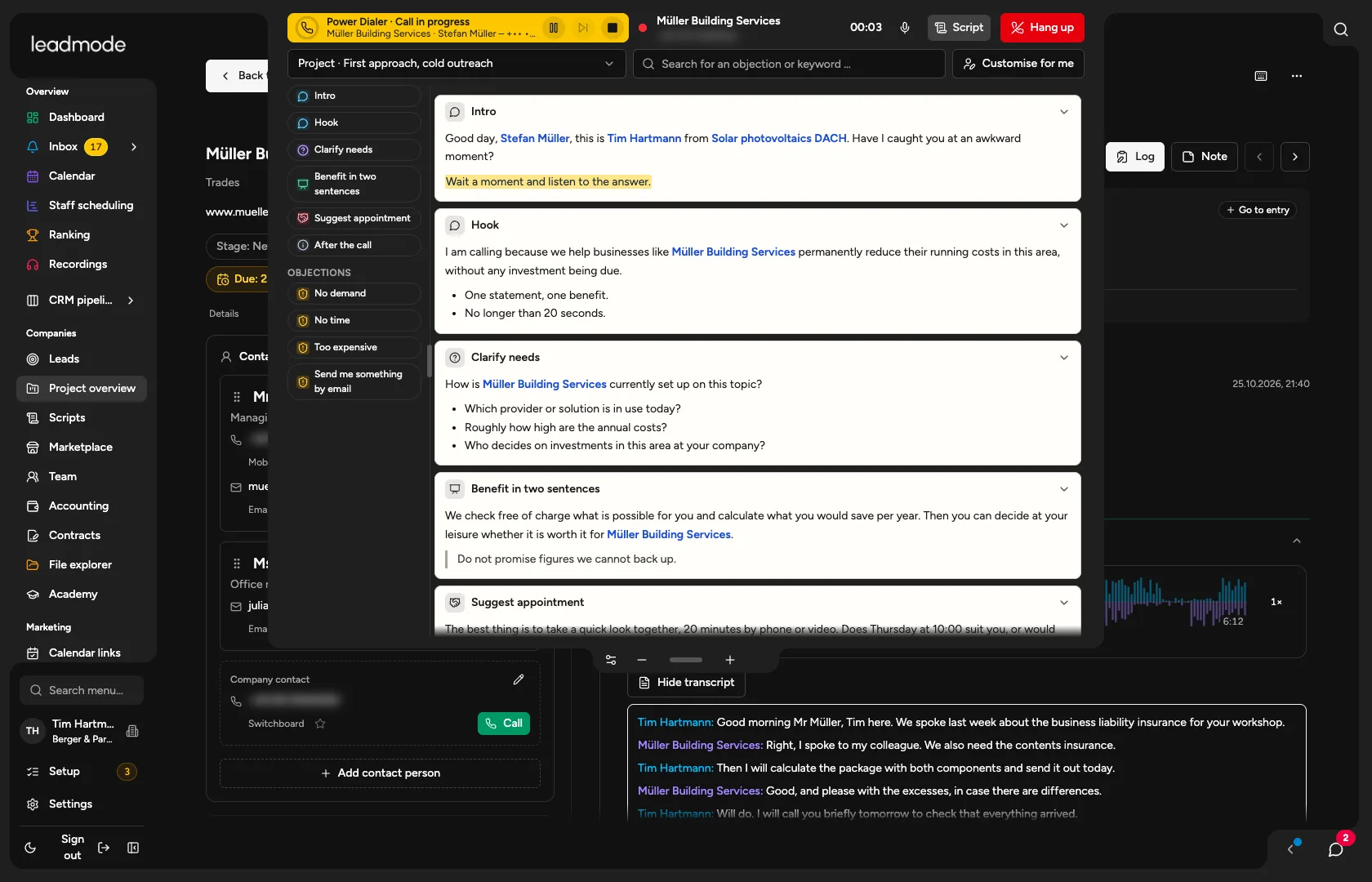
Call from the browser, use the Power Dialer, log the outcome in under 15 seconds, and the system tells you what to do next.
Sound familiar?
After the call nobody logs anything. Or only later, or wrongly.
Too many clicks just to place an outbound call. New callers each document in their own way.
How Leadmode solves it.
Call with one click in the browser
From the contact card, with no phone and no extra tool. Numbers can be assigned per employee, and the default number is remembered. Plus mute, keypad, a choice of microphone and speaker, and a phone panel for numbers you type in freely. To set up, you enter your telephony account and Leadmode fetches the numbers and configures the addresses.
Work lists and views
‘Due leads’ shows the next callable lead, respecting contact windows, blocks and due dates. Also lists per stage, agreed callbacks as a view of their own, and saved views with your own filters. Which lists appear where is set by the flow.
Power Dialer
After documentation a counter runs, then the next due lead is dialled. Pause, skip and stop at any time; a lead is only ever reserved for one person. No predictive and no parallel dialling: you dial quickly, but never against someone who is still documenting.
Call scripts
A library for the agency, assigned per stage, your own ‘Adapt for me’ variant, import from Word and PDF. The script opens beside the call in three sizes, with search across keywords and objections.
Outcome and next step
First one of four call groups, then up to six matching outcomes, asking only for the required fields of the chosen outcome. ‘Not reached’ is one click, optionally with voicemail or busy. The outcome determines the task, stage, waiting time and block.
Recording, transcript, call analysis
Calls can be played back at any time, with waveform and talk ratio, and a transcript with separate speaker channels. The AI evaluates every call from the transcript; the facts flow into the reports with evidence.
Listen in, whisper, join
The admin listens in on live calls, whispers (only the employee hears) or speaks up. You enable this per employee, and it applies to outbound calls in the web app. Everything is logged.
Incoming calls
The web app rings: first the project’s sales reps, then the backup, the project lead and everyone with access to the number; each level rings in the web app first, then on the mobile. Running calls can be forwarded. Unknown callers are assigned to a lead afterwards.
SMS from the lead
Manual sending with templates, through your organisation’s own account with an SMS provider. Marketing SMS go out only with documented consent and an unsubscribe link.
- Groups in the outcome catalogue
- 14
- to a documented outcome
- <15 s