Built so you earn more.

Set up and ready: phone, projects, tasks, CRM, email, landing pages, billing, scheduling and automation.

Leadmode

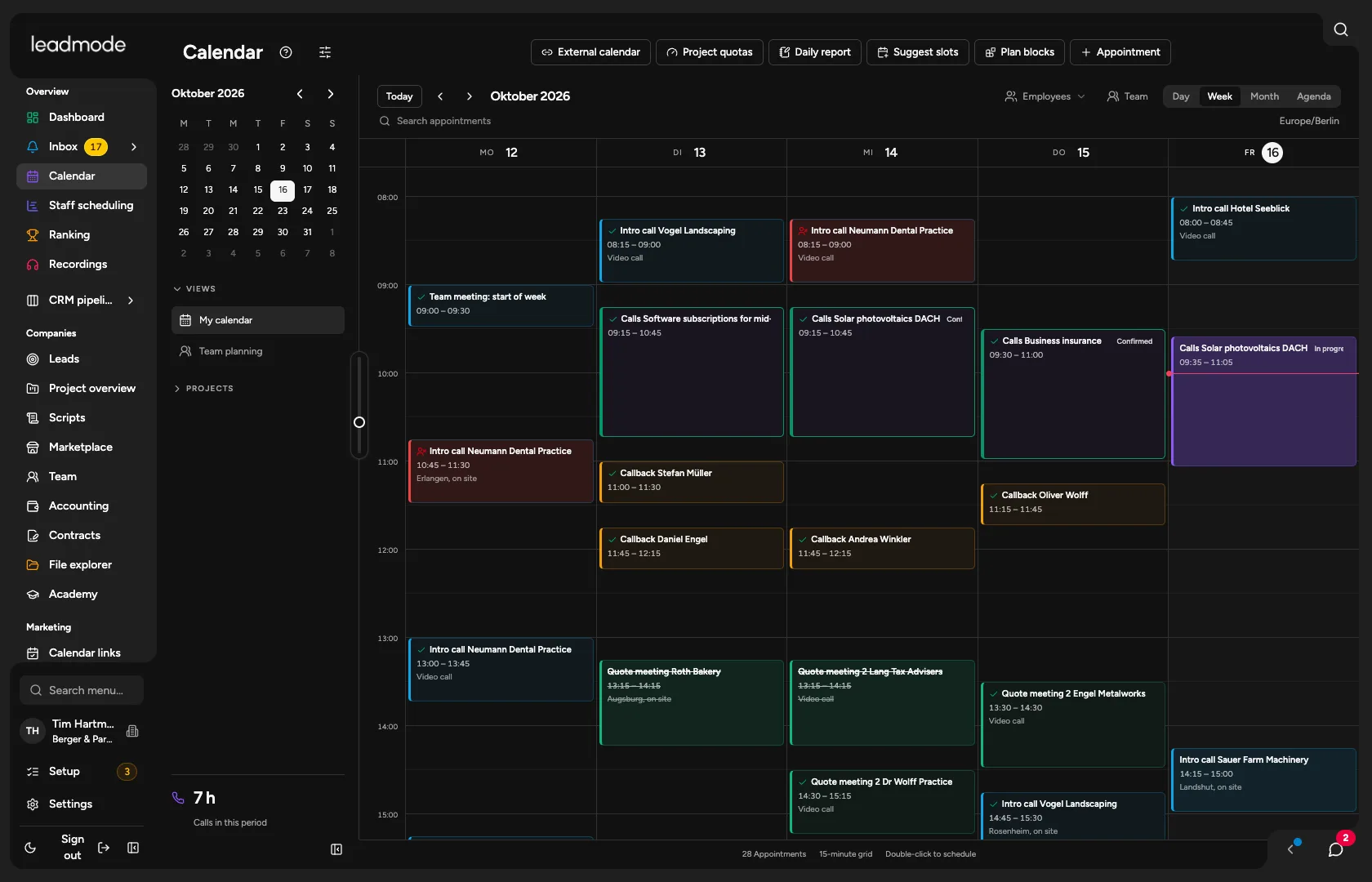
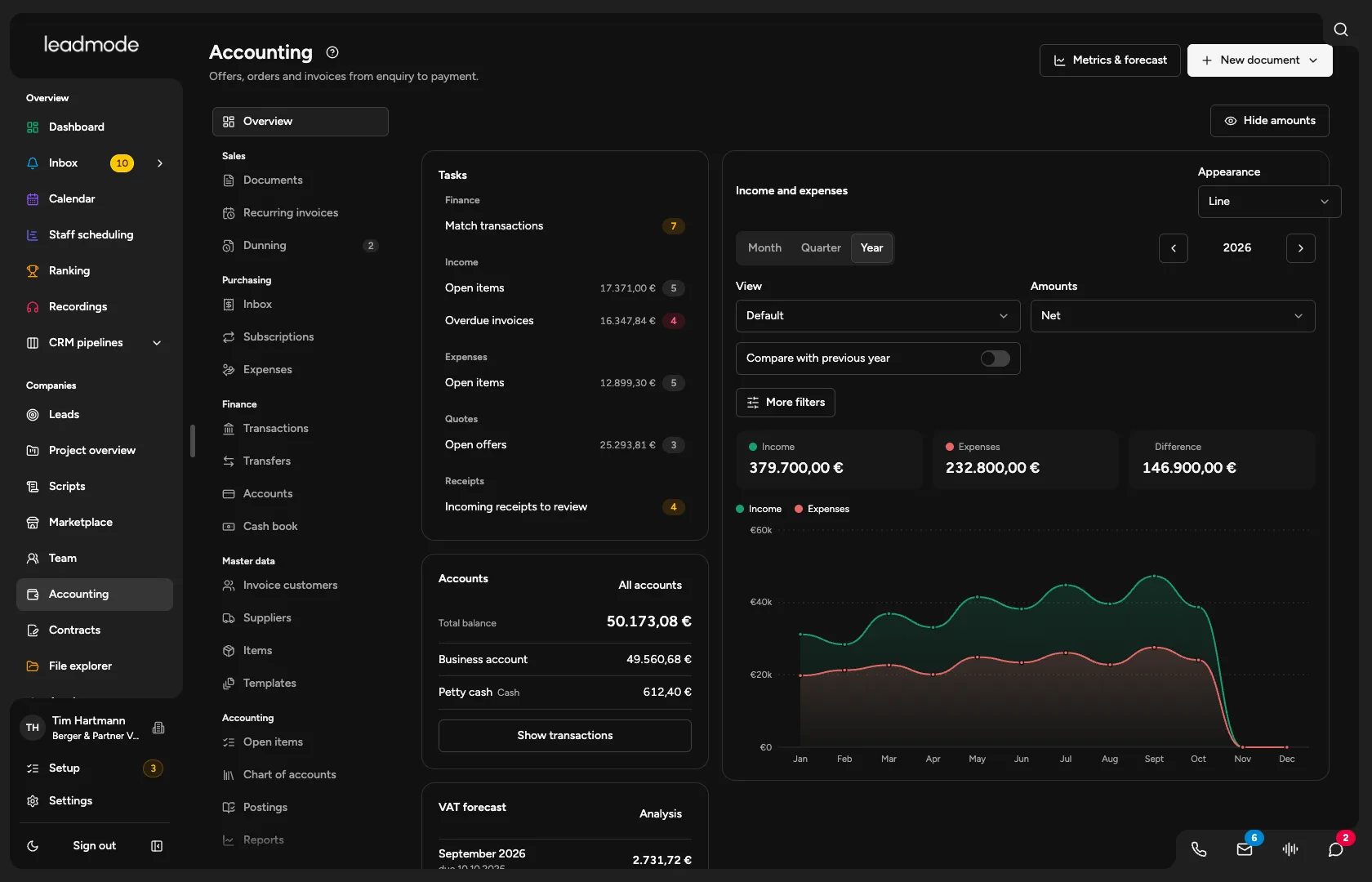
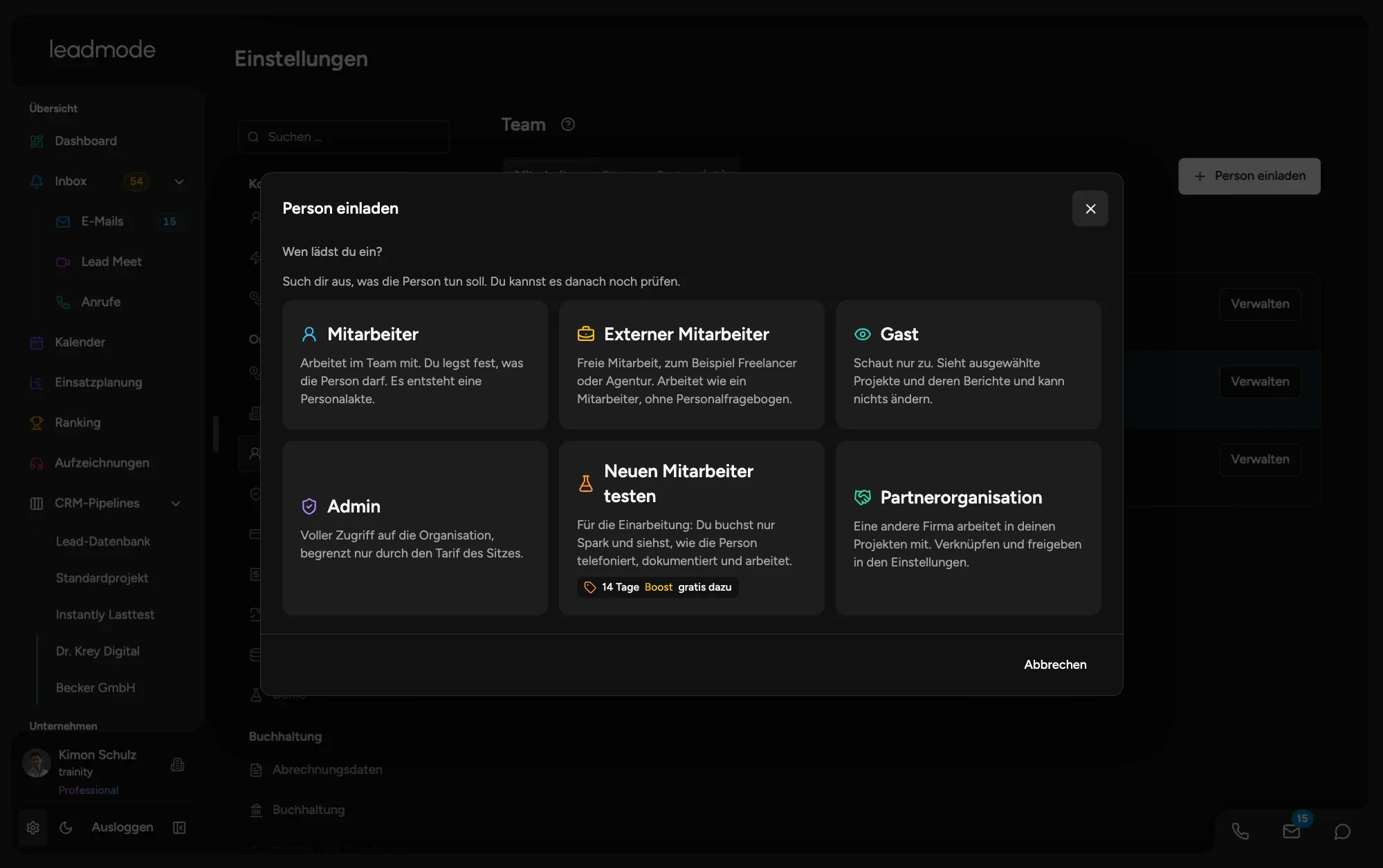
Click your way through Leadmode's dashboard, calendar, leads and settings.

Open the interactive preview

Something always gets lost between the conversation and the report.

The meeting goes well, the notes never happen.

Nobody logs anything after the conversation. In the end, no one knows what was discussed and promised.

The client asks for an update.

The monthly report gets built in Excel and eats up hours. And the client still can't see how much actually happened.

A new team member does everything differently.

Everyone documents in their own way. Quality varies and follow-ups slip through.

This isn't a discipline problem. It's a system problem.

Set it up once instead of clicking it together forever.

Anyone who sells on behalf of clients usually clicks together a stack. Every tool costs money and comes with its own account and its own logic. Each one is strong in its own corner. And half-finished, vibe-coded homegrown tools aren't the answer either, because they stay a construction site too. So what does an agency really need? Why not the essentials in one system, ready to go?

  • What's inside

    • Tasks with a reason and an owner
    • Inbox
    • Projects per client
    • Project hub
    • Calendar
    • Chat
    Learn more
  • What's inside

    • Leads
    • Companies
    • Pipeline and stages
    • Custom fields
    • History
    • Imports
    • Quotes through to invoices
    Learn more
  • What's inside

    • Calling in the browser
    • Power Dialer
    • ‘Due now’ work list
    • Call scripts
    • Outcome in under 15 seconds
    • Listening in
    • Incoming calls
    • Metrics
    • Ranking
    Learn more
  • What's inside

    • A mailbox for every employee
    • 53 email templates
    • Appointment emails and SMS
    • Email and calls kept in step
    Learn more
  • What's inside

    • Campaigns with follow-ups sent from your team's mailboxes
    • Daily limit
    • Send window
    • Stops on reply
    • Blocklist and unsubscribe
    Learn more
  • What's inside

    • Pages and multi-step funnels from a template or by AI
    • Appointment booking in the funnel
    • Your own domain
    • Results by source
    • Leads land straight in the CRM
    Learn more
  • What's inside

    • Reports for your client
    • Compensation per project
    • Invoices with e-invoicing
    • Recurring invoices
    • Dunning
    • Incoming documents
    • Datev export
    Learn more
  • What's inside

    • Outcome, task, email, appointment and report built in
    • Pre-configured
    • Adjustable per agency and project
    • Incoming and outgoing webhooks for everything else
    Learn more
Leadmode

What you can expect from us.

Sales and contacts

  • CRM with leads, companies and contacts
  • Pipelines and stages per project, with deals and values
  • Projects per client with their own workflow
  • Tasks created automatically after every outcome
  • Import from CSV and Excel with duplicate check
  • Lead sourcing and lead database
  • Lead sources and webhooks

Telephony

  • Make and take calls in the browser
  • Power Dialer
  • Telephony directly through Leadmode
  • Multiple phone numbers
  • Every call transcribed and documented
  • Call scripts that run alongside the call
  • Listen in, whisper and conference
  • SMS sending

Mail and communication

  • Built-in inbox, even several
  • Sending under each employee’s own name
  • Emails automatically matched to the right lead
  • 53 email templates with placeholders
  • Email campaigns
  • Email and calls coordinated
  • Internal chat
  • Lead Meet, our own video platform (Early Access)

Appointments

  • Calendar with Google, iCloud, CalDAV and ICS link
  • Slot suggestions, assigned to the least busy person
  • One-time booking links for prospects
  • Booking pages for one person or the team in rotation
  • Confirmation and reminders by email and SMS
  • Store the client’s calendar

Marketing

  • Landing pages and funnels from templates
  • AI draft from your website
  • Book appointments right in the funnel
  • Your own domains for your pages
  • Analysis by source and campaign
  • Social media planner (Beta)
  • Your own branding with logo and colours

Clients

  • Weekly reports and other report types
  • Delivery after approval as PDF, CSV or email
  • Dedicated access with approval per project
  • Internal staff figures stay internal
  • Metrics with evidence for every figure
  • Results export as CSV or Excel
  • Project quotas with progress

Leadership and team

  • Dashboard: your day at a glance
  • Ranking
  • Goal setting with targets and personal goals
  • Sparring: call training
  • Calling blocks and shift planning
  • Employees and recruiting

Billing and administration

  • Time tracking
  • Pay and performance billing
  • Accounting with invoices, dunning, bank and DATEV
  • Contracts with digital signature
  • File explorer

AI

  • AI assistant
  • Call analysis
  • Dictation and AI in every text field
  • Mail AI for drafts and replies

Customise and connect

  • Adapt workflows per project yourself
  • Marketplace for pipelines, workflows and scripts
  • MCP and API
  • iOS app (coming soon)
  • In ten languages

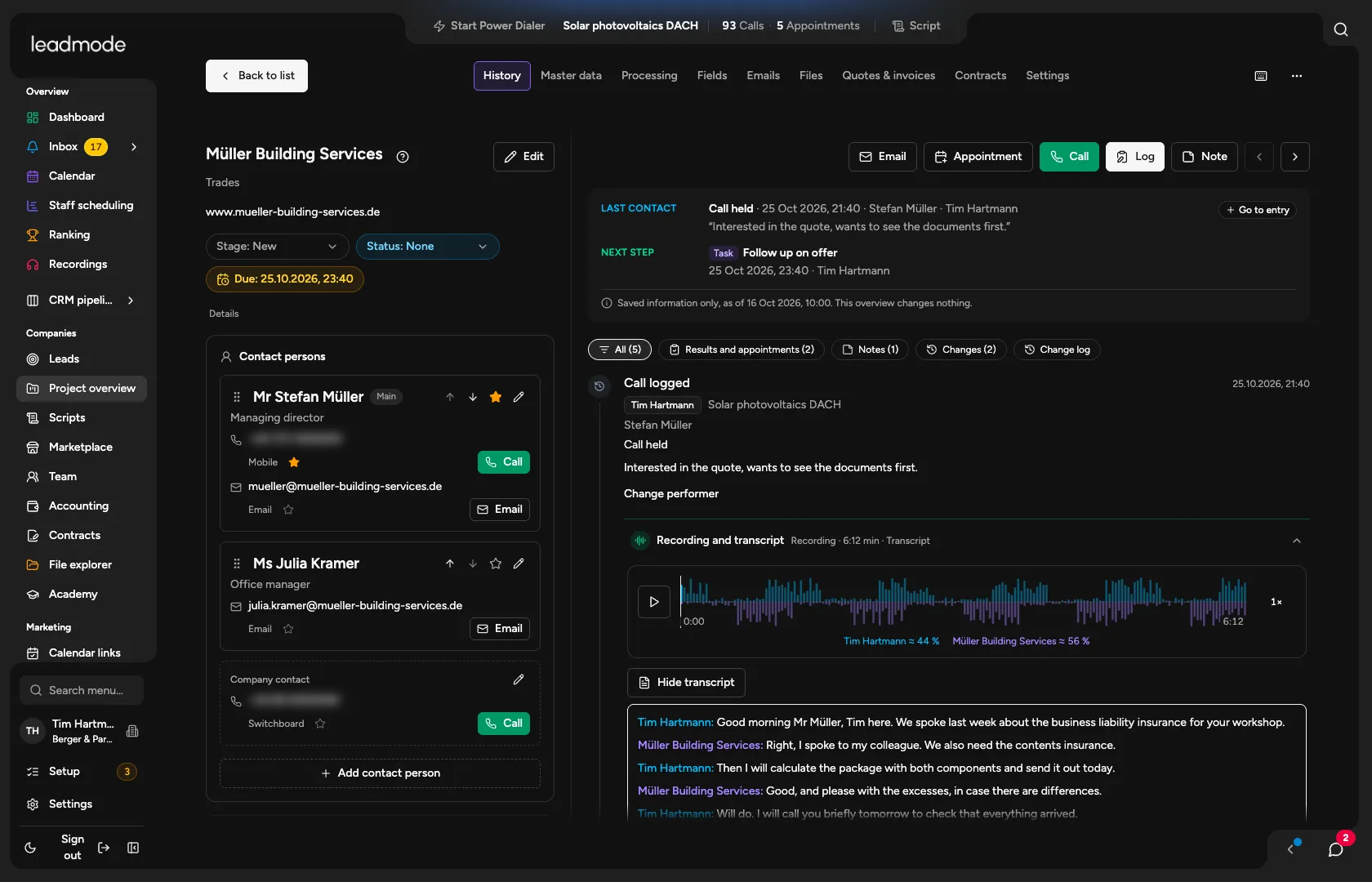
Everything about your lead on one card.

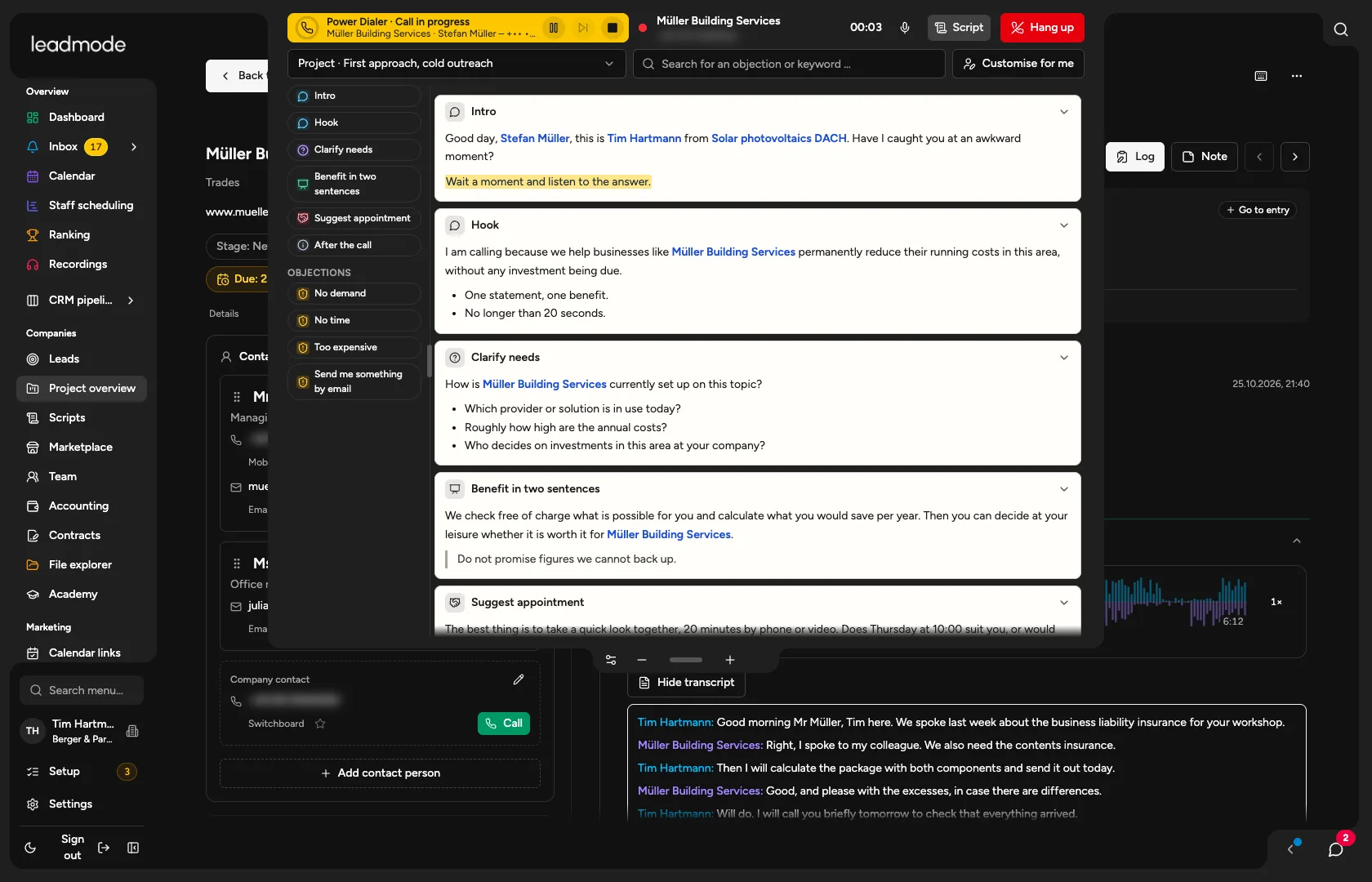
Scripts that guide the conversation.

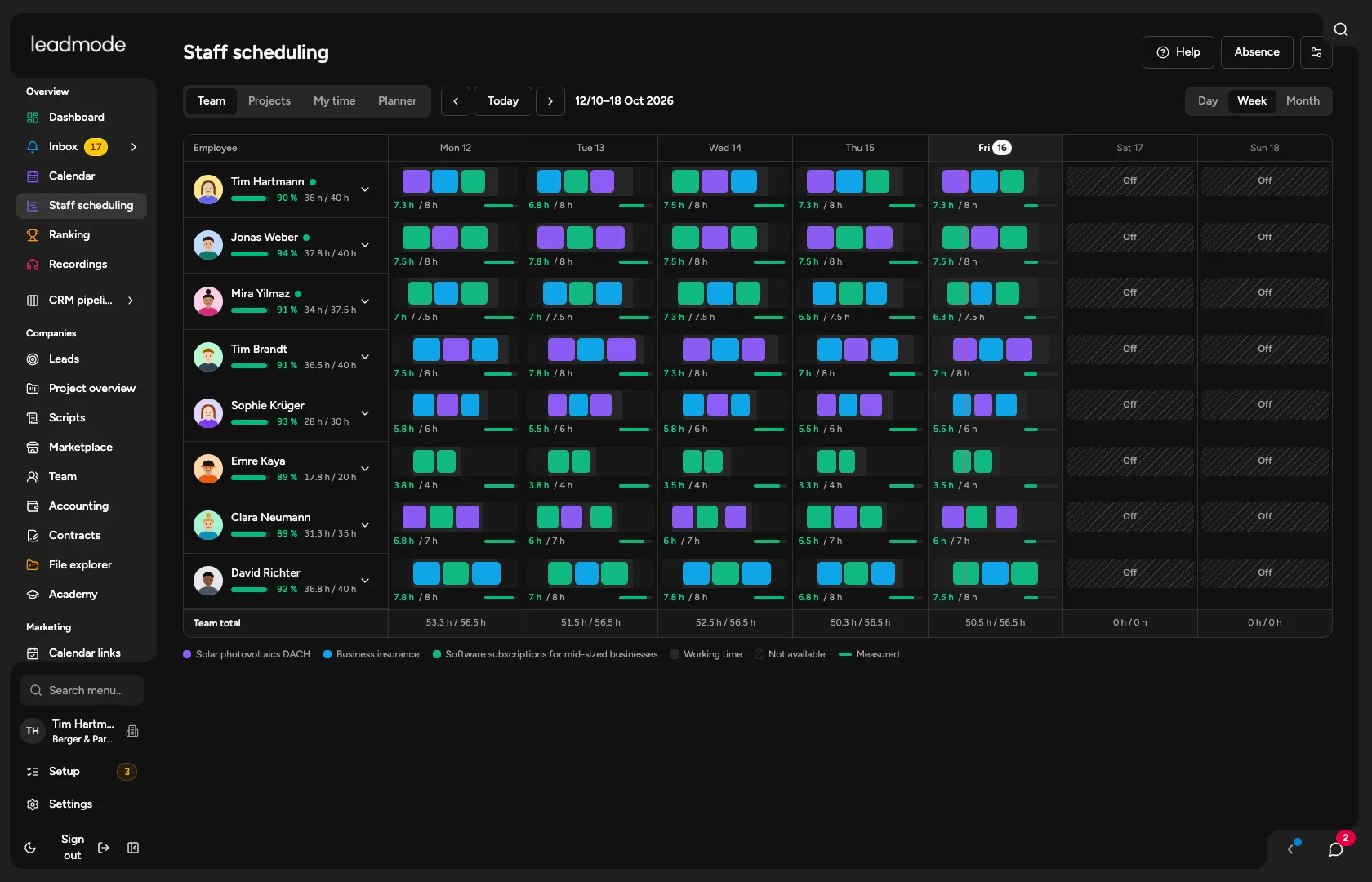
Your team, neatly scheduled.

Appointments straight from the call.

Invoicing and accounting without detours.

Contact card in Leadmode
Script during a call in Leadmode
Staff scheduling in Team mode in Leadmode
Calendar in Leadmode
Accounting in Leadmode

Report to your clients automatically.

Good morning Mr Kessler, here is your weekly report for week 42. In short: 214 calls, 38 conversations and 9 new appointments for you.
Sent automatically, Fridays at 08:00

Weekly report week 42.pdf

Sent to Kessler Industrietechnik GmbH

Delivered
Thank you, that looks great.
I'm putting together your monthly report for October right now, it'll follow in a moment.

Monthly report October.pdf

Sent to Kessler Industrietechnik GmbH

Delivered
Perfect, thank you!

New report: monthly report October

1 Oct to 31 Oct 2026For the client

Metrics your client sees

Contents

Delivery

Report created, ready for approvalCreate report

Monthly report October 2026

Kessler Industrietechnik GmbH · 1 Oct to 31 Oct · Sample data

Dials

912+12 %

Reach rate

38 %+3 %

Decision makers

121+9 %

Booking rate

17 %+2 %

Show rate

88 %+4 %

Cancellations

4−2

Dials per week

Wk 41
Wk 42
Wk 43
Wk 44

Common responses

  • No need at the moment31
  • Please send an info email22
  • Someone else is responsible14

Appointments in October

  • 7 OctHartmann MaschinenbauIntro call
  • 14 OctNordlicht LogistikIntro call
  • 22 OctWeber HaustechnikQuote meeting

Summary (written automatically)

Ready for approvalSend now

Sample animation; all names, figures and content are made up.

Your flow, your rules.

SupportPipeline 1

  1. Request
  2. Reply
  • You answer incoming emails , nothing more
  • Your flow: request, reply , done
  • Your outcomes fit email replies
  • No calls, no appointments to distract you
  • You adapt stages, outcomes and follow-ups , per agency and per project.
  • Rename request and reply the way your team calls them
  • Add your own stages , for example a follow-up question
  • Decide what happens on its own after every reply
  • Arrange the stages the way you work
  • Everything applies per project , and the template itself stays unchanged.

Cold outreachPipeline 2

  1. Lead
  2. Outreach
  3. Intro call
  • You contact leads until the intro call is booked
  • Your path: lead, outreach, intro call
  • Everything after that is none of your concern
  • Your team only talks to interested prospects
  • You adapt stages, outcomes and follow-ups , per agency and per project.
  • Move lead, outreach and intro call around as you need them
  • Define which outcomes exist for each stage
  • Decide the follow-up : task, email or block
  • Insert your own stages where your approach differs
  • Everything applies per project , and the template itself stays unchanged.

Appointment settingPipeline 3

  1. Lead
  2. Outreach
  3. Intro call
  4. Qualification
  • You book appointments for your clients
  • Your path runs from lead to qualification
  • Quote, negotiation and customer stage sit with your client
  • Once you've made the handover , your job is done
  • You adapt stages, outcomes and follow-ups , per agency and per project.
  • Give every stage the name your client uses
  • Define when a lead counts as qualified
  • Define the handover to your client
  • Add required details for every stage
  • Everything applies per project , and the template itself stays unchanged.

Full cyclePipeline 4

  1. Lead
  2. Outreach
  3. Intro call
  4. Qualification
  5. Presentation
  6. Follow-up call
  7. Quote & negotiation
  8. Close
  9. Onboarding
  10. Customer care
  11. Upsell
  • You guide every customer from A to Z
  • Two conversations , then your quote
  • You negotiate and close
  • Then onboarding, care and upsell , all handled by you
  • You adapt stages, outcomes and follow-ups , per agency and per project.
  • You decide which of the eleven stages you need
  • Move, rename and add stages freely
  • Your own outcomes and follow-ups for each stage
  • Let the AI draft a flow around the way you sell
  • Everything applies per project , and the template itself stays unchanged.

docs.leadmode.de →

Live in 30 minutes. After that, your AI runs it all.

  1. With your AI

    ChatGPT, Claude and others set up Leadmode through MCP and keep running it afterwards. Everything the interface can do, your AI can do too.

  2. With Leadmode AI

    The assistant sets things up, maintains them and walks you through everything that's still open, right in the chat.

  3. Manually

    Step by step through the checklist, with a direct jump to the right page. You can maintain things with AI later too.

Your data comes with you

No matter where from: another CRM, Excel or a homegrown tool. In the import area you bring over leads, companies, opportunities, history, tasks and appointments. Your AI suggests how your stages map to ours, loads everything as a dry run first and checks the result against your source.

contacts-export.csv

CSV · uploading

Importing

You'll notice it in the very first month.

Before

  • Several logins, several invoices, several setups.
  • The monthly report gets built in Excel and takes hours.
  • The client asks for an update and you scramble to pull the numbers together.
  • A connection between two tools breaks and nobody notices.
  • Every new caller documents in their own way.

After

  • One account, one invoice, set up and ready.
  • The report builds itself from your data and waits for your approval.
  • The client sees their report themselves.
  • Every outcome creates the next task on its own.
  • Flow and script are predefined, so new people work cleanly from day one.

Leads, calls, calendar and chat on the go.

Download on the App StoreGet it on Google Play

Coming soon

Registered with the Federal Network Agency

In Leadmode, you get telephony directly from us. For this, Dr. Krey eG is registered with the German Federal Network Agency (Bundesnetzagentur) as a provider of publicly available telecommunications services.1

Also good to know

  • Call scripts run alongside the call, and everyone edits their own script.

  • After every conversation the next lead comes up on its own. You search for nothing and dial no numbers.

  • You dial manually or take incoming calls right in Leadmode. They are matched straight away to the right project or lead.

  • Every call is transcribed and documented without anyone taking notes.

  • You build them yourself. The leads land in Leadmode automatically.

  • In any input field you simply speak into the microphone. At the end, the AI polishes the text and checks spelling and grammar.

  • With dunning and everything that goes with it. The AI recognises documents, and the SKR03 and SKR04 charts of accounts are built in.

  • There are employee areas and recruiting of its own. You post job ads for your agency yourself.

  • Connect as many numbers as you like and assign them to your employees.

  • Call analysis gives recommendations for scripts and for your team. You also see how you come across on the phone yourself.

  • See at a glance who is performing how.

  • At the end of the day, callers see how many dials they made and how many appointments they booked.

  • Employees plan their own call blocks. Full staff scheduling is built in.

  • You see how much of the quota is used up, and daily reports are generated in the system.

  • Reports for your clients are built from the data; you only have to approve them.

  • Create templates and send from the system, with your look and your signature.

  • Connect external calendars and let your customers book appointments with you.

  • Adapt the sales flow for each project individually.

  • Store project files and find them again in the project.

  • Customise the interface and put your own logo on it. Your corporate identity stays intact.

  • In the marketplace you find ready-made sales flows and call scripts and adopt them as your own template.

  • Our own video platform is coming soon: video calls right inside Leadmode, no extra tool. Anyone on the Professional plan gets it automatically.

  • Connect an SMS provider and send messages straight from Leadmode.

Most people wait until someone else shows them how. Will you wait, or will you lead?

Ready for takeoff.

Spark

For trying things out, for individuals and occasional users.

€29€33

per seat per month, net, on annual billing, 10% cheaper

Early access*: from 2027 €39, your price stays

  • CRM, leads, projects and tasks
  • Phone, call documentation and calendar
  • AI in text fields and dictation
  • Goals: overview, targets and personal goals
  • 1 free partner access per seat

Boost

For callers with Power Dialer, back office and teams with reports.

€79€88

per seat per month, net, on annual billing, 10% cheaper

Early access*: from 2027 €89, your price stays

  • €10 of telephony via Leadmode per seat and month included
  • Everything in Spark
  • Call transcription and call analysis
  • Power Dialer and booking links
  • Mailbox and internal chat
  • AI assistant
  • Client reports and cold email campaigns
  • Call scripts
  • 5 free partner accesses per seat

Professional

All features

For teams that run their whole business in one place: admin, team lead, accounting, recruiting.

€129€149

per seat per month, net, on annual billing, 10% cheaper

Early access*: from 2027 €139, your price stays

  • €20 of telephony via Leadmode per seat and month included
  • Everything in Boost
  • Lead Meet (early access*)
  • Employees, recruiting and staff scheduling
  • Time tracking, compensation and service billing
  • Accounting through to DATEV, landing pages and funnels
  • Marketplace and lead database
  • Goals for sales with Sparring (call training)
  • 10 free partner accesses per seat

All prices are net, and annual billing is 10% cheaper than monthly cancellation. AI is charged on top, by usage – compare all plans.

FAQ

Frequently asked questions.

+What does making calls cost?

With a number via Leadmode, we bill phone costs by usage plus a service surcharge; Boost and Professional include a telephony credit per seat and month. Setup takes a few clicks. You can also bring your own provider (your own Twilio account or SIP), in which case the costs sit with them.

+Which tools does Leadmode replace, and what stays external?

Leadmode replaces task and project management (as far as sales agencies need it), CRM, phone, cold email campaigns, the funnel builder, reports and invoices through to the Datev export, and the automation in between. Your mailboxes and your phone line, which you connect, lead data sources and your tax advisor stay external.

+How quickly can I go live?

Everything is set up for you: pick a project profile, connect the phone, invite your team.

+How do I replace my old CRM, and does my data come along?

Leads come across through CSV or Excel import: up to 50,000 rows, column mapping with a preview and duplicate checks. The headers of common CRM exports are recognised. Campaigns and replies from your cold email tool flow in automatically.

If you also want to bring over opportunities, history, tasks and appointments, your AI takes care of the switch. It reads your export, suggests how your stages map to ours, loads everything as a dry run first and checks the result against your source. A whole switch can be rolled back. Emails come into the history as text; files, attachments and recordings do not. How switching works.


+How long does setup take?

Everything is set up for you: pick a project profile, connect the phone, invite your team. You're live in 30 minutes. Your AI transfers your existing data through MCP in a single step.

+Can I set up flows differently for each client?

Yes. Stages, outcomes, required fields, cadences, email templates and reports can be adjusted per agency and per project.

+What does my client see, and what not?

Only what you share per project and category. Internal employee metrics are technically excluded.

+Can I change flows, automations and templates later?

Yes, at any time. Changes are versioned, and running sequences keep their version.

+What does it cost as we grow?

Every employee has their own plan: Spark €29, Boost €79 or Professional €129 per seat per month on annual billing (2027 early-access prices*: book now and keep the price; terms on the pricing page), which is 10% cheaper than monthly cancellation. Only AI costs extra, charged by usage. You can compare all plans on the pricing page.

+Is there a minimum term, and how do I cancel?

Annual billing saves you 10%. With monthly cancellation you pay €33, €88 or €149 per seat instead of €29, €79 or €129. AI prices are the same either way.

+Can my team work on mobile too?

Leadmode runs in the browser on mobile as well. There is also an iOS app with leads, calls, calendar, chat and dashboard; the Android app is smaller (dashboard, chat, settings).

+Can I connect Leadmode to my other tools?

Yes. Incoming webhooks bring leads and applications from your tools into the CRM, outgoing webhooks report changes to the outside, and your AI operates Leadmode through its own interface with your permissions. You don't have to build the automation between call, task, email and report yourself.

+Do you have a power dialer?

Yes. After documentation, the Power Dialer dials the next due lead, with a counter, pause and stop. There is deliberately no parallel or predictive dialer that calls several numbers at once. The ‘Due now’ work list and ‘Save and next lead’ remain as well.