
Cold emails from your team’s real mailboxes.
Campaigns with follow-ups, a daily limit and a send window, right inside the project. A reply stops the sequence by itself, and everything lands in the CRM.
Sound familiar?
Cold email tools send through other people’s accounts, and replies, bounces and unsubscribes never reach the CRM cleanly.
Who has replied, who has unsubscribed and who is blocked ends up being copied across by hand.
How Leadmode solves it.
Build a campaign in the wizard
Emails with subject, text and a waiting time in days, mailboxes, send window, spacing and warm-up. The draft is saved as you go, with up to ten steps per campaign.
Follow-ups in the same thread
If a follow-up has no subject, it appears as ‘Re:’ in the same thread. The mailbox that sent the first email also sends all follow-ups.
Sent only from real mailboxes
Only your employee’s own mailbox sends, never the platform. Whoever builds a campaign can choose only mailboxes they may use anyway.
Daily limit and warm-up
One limit per mailbox across all campaigns and a slow warm-up: by default it starts with 2 emails, then adds 2 per sending day. A random gap separates any two emails.
Send window
You set time zone, weekdays and hours per campaign. The default is Monday to Friday, 9am to 5pm. A preview shows how long sending will take at your limit.
Recipients from your CRM
From a saved view, a stage, individual leads or pasted addresses. You see how many are new, already in, have no address or are blocked.
Stops by itself
A genuine reply ends the sequence when ‘Stop on reply’ is on. A hard bounce, an unsubscribe or a block always ends it. Out-of-office replies do not stop it.
Unsubscribe and blocklist
Every email contains an unsubscribe link with one-click unsubscribe. Blocked leads and addresses on the blocklist get nothing, checked before anything is sent.
Connect your own cold email tool
If you use a cold email tool, replies are pulled into the CRM every five minutes as an ‘Answer email’ task, and leads are imported together with their history and interest.
Live overview
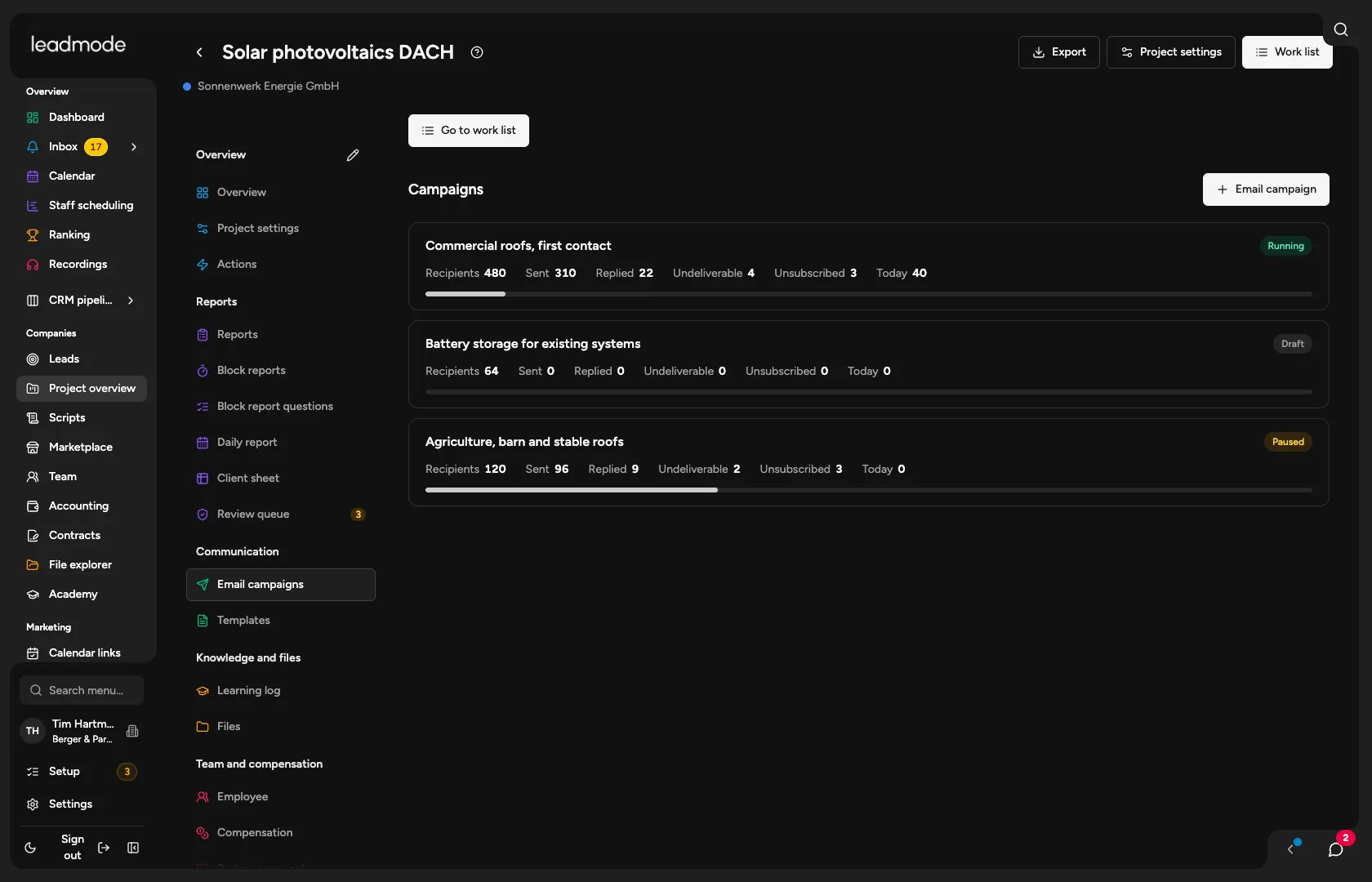
For each campaign you see recipients, sent, replied, undeliverable, unsubscribed and the trend over the last few days. Pausing, resuming and removing recipients is possible at any time.