
The CRM sales agencies actually need.
Leads, companies, pipeline and history in one place. With custom fields for every client, an import for leads and a switch that brings over everything from your old system.
Sound familiar?
Most CRMs are built for inbound, not for outbound milestones like first reply, appointment booked, appointment held.
Every new client brings different fields and criteria, and your old system doesn’t know them.
How Leadmode solves it.
Leads and companies
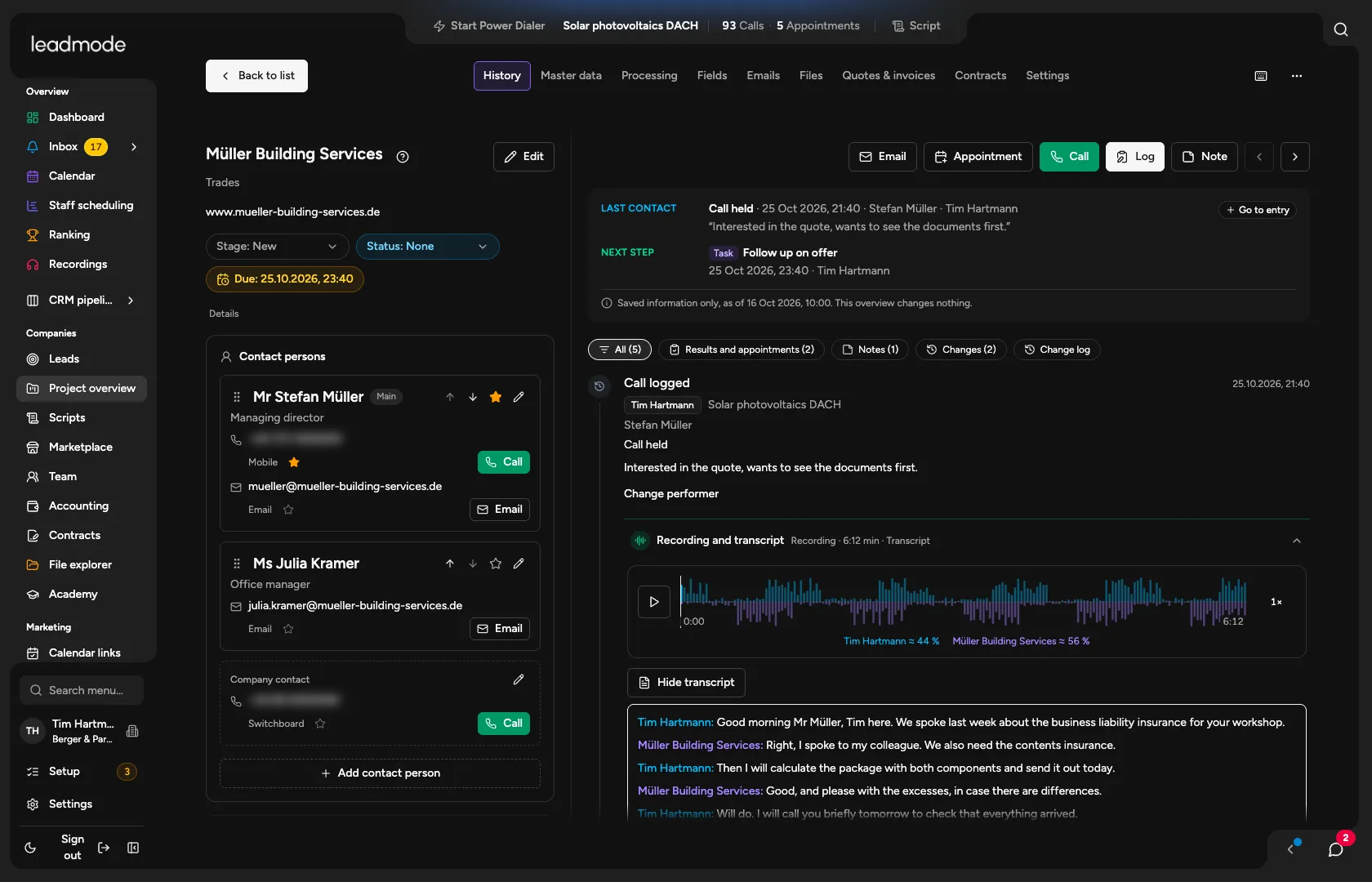
A company with its contact people and channels, and a contact header showing opportunity, stage, next due date, latest lead and source. A lead can have several opportunities, but only one open per type. If a company sits in several projects it exists only once: master data, contact people, numbers and blocks apply everywhere, while stage, owner and history are kept per project.
Pipeline and stages
Twelve stages in the standard flow, with detailed statuses, and pipelines across all projects or per project. You adapt stages and outcomes per project. Money values per opportunity: expected, quoted, ordered.
Views
Saved lead filters per project with conditions and OR groups, including on custom fields. A view is only a slice of your data; it never changes a lead.
Custom fields
Ten field types, including single and multiple choice, for the organisation or a project. On import Leadmode detects the type and can create the fields for you. Client-specific data without any programming.
History
Every entry shows the role (opening, first call, closing, account care …). Corrections are events of their own with a reason; nothing is overwritten.
Import and export
CSV and Excel up to 50,000 rows and 20 MB, column mapping, preview, duplicate check, resumable. It recognises the headers of common CRM exports and shows you the export guide for your old system. Export as CSV. The import never silently overwrites existing leads.
Lead sources and lead database
Research through Google Places, Apollo and Hunter using your organisation’s own key, with the result as CSV or straight into the import, including phone number checks. The lead database manages every lead in the organisation, even without a project: filter, note a review status and deletion deadline per lead, assign leads to a project (as a preview first; only a project row is created, the data is not copied) and merge duplicate leads. A block applies to the lead in every project.
Switching from another system
Companies, contact people, opportunities, history, tasks and appointments from another CRM, Excel or a home-built tool. Your AI loads them once you confirm, with a dry run, a reconciliation report and a way back. Large datasets run in the background as a file upload. The old data does not count towards metrics, and nothing is sent out. Emails arrive as text in the history, not as a mailbox. Files and recordings do not come across.
How switching works →
- Rows per import file
- 50,000
- Stages in the standard flow
- 12