
Your client sees it for themselves.
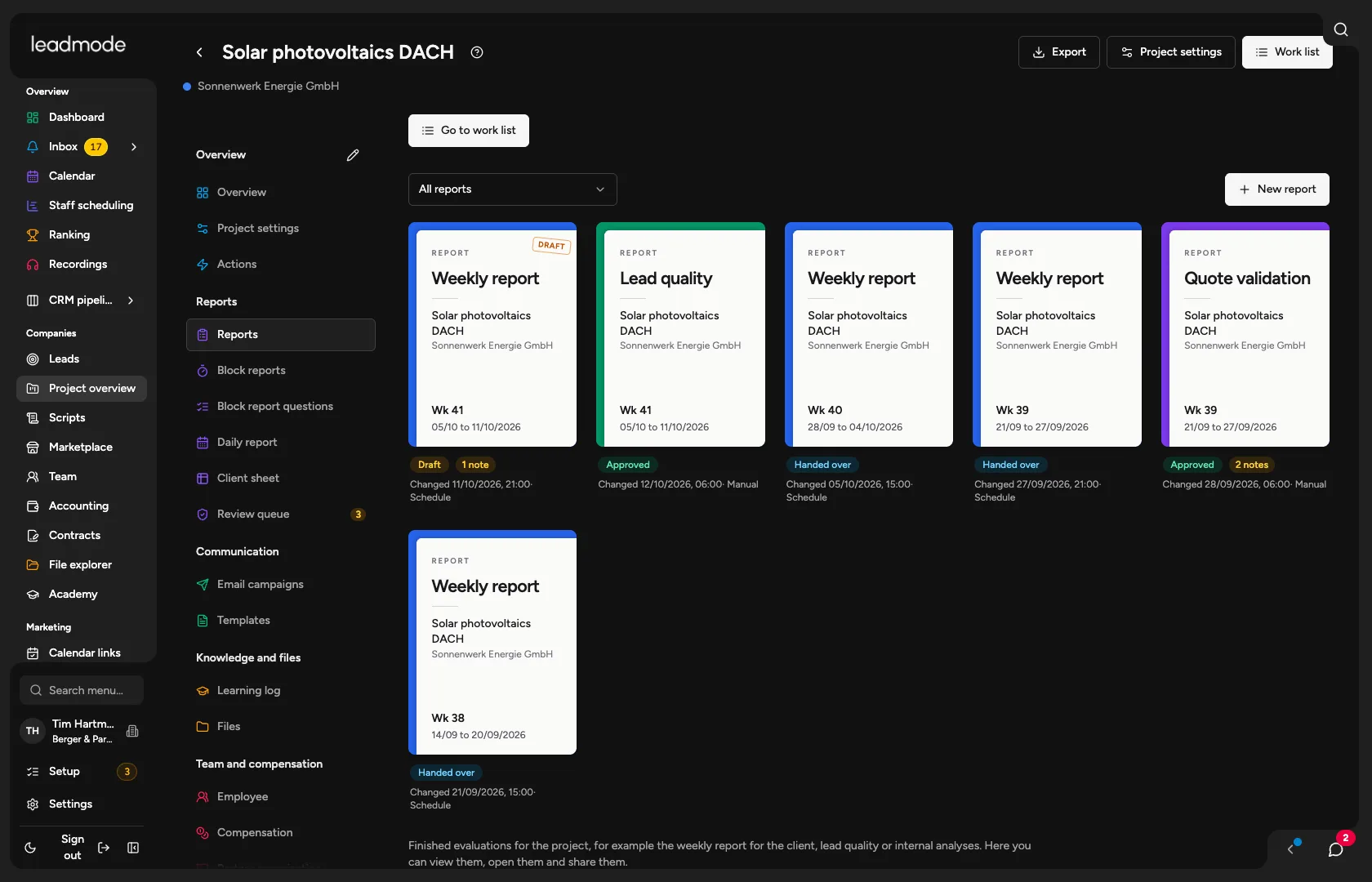
Automatic reports, a view of their own with sharing per project, and hard blocks on anything internal. The report is both proof and a way to earn referrals.
Sound familiar?
Reporting gets put together in Excel at the end of the month and costs hours.
The client asks what you actually did, and you have to prove it.
How Leadmode solves it.
Report types
Client weekly report, lead quality, CRM operator, info-mail list, email analysis, offer validation. Built from blocks, configurable per organization and project. The weekly report has fixed mandatory sections from context to approval.
From report to delivery
Create a draft (also scheduled for the previous week), review, edit, release, and send as a package (text, PDF, CSV, ZIP) by email from your mailbox, by WhatsApp link or in the project chat.
Hard audience blocks
Statements about employees never go to the client, the lead report or the CRM operator. Phone time goes to outsiders only after explicit release.
Call and email analysis
18 finding types, each statement with a verbatim quote that the server checks against the text. Doubtful findings go to a review queue.
Documentation checked against the call
Where documentation and call do not match, the finding shows both sides as evidence. How someone conducts calls is analyzed by Leadmode only for that person themself.
More about Goals →Metrics you can believe
Selectable way of measuring (in the period, by cohort, as of a cut-off date), evidence for each number, ‘cannot be calculated’ instead of a false zero.
Access for clients
The ‘Partner’ role by invitation as partner lead (several projects) or end client (one project). Sharing per project and category, name and logo freely chosen for the outside, access log. The client sees only what you release.
Outcome export
Call outcomes per activity or per company as CSV or XLSX, in an internal version and a client version without employee names.
- Finding types in the analysis
- 18
- Audiences with blocks
- 6