
Tasks with a reason and an owner. Projects per client.
Not the full scope of a project tool, just what sales agencies need day to day: who does what, for which client, by when.
Sound familiar?
Tasks sit in a separate tool that knows nothing about the CRM. Follow-ups slip because nobody creates them.
One project per client means its own flow, its own team, its own rules.
How Leadmode solves it.
Tasks appear by themselves
From every documented outcome. Every task has a reason and an owner. One active task per lead and purpose, so double clicks never create a duplicate. Incoming emails from known leads create an ‘Answer email’ task.
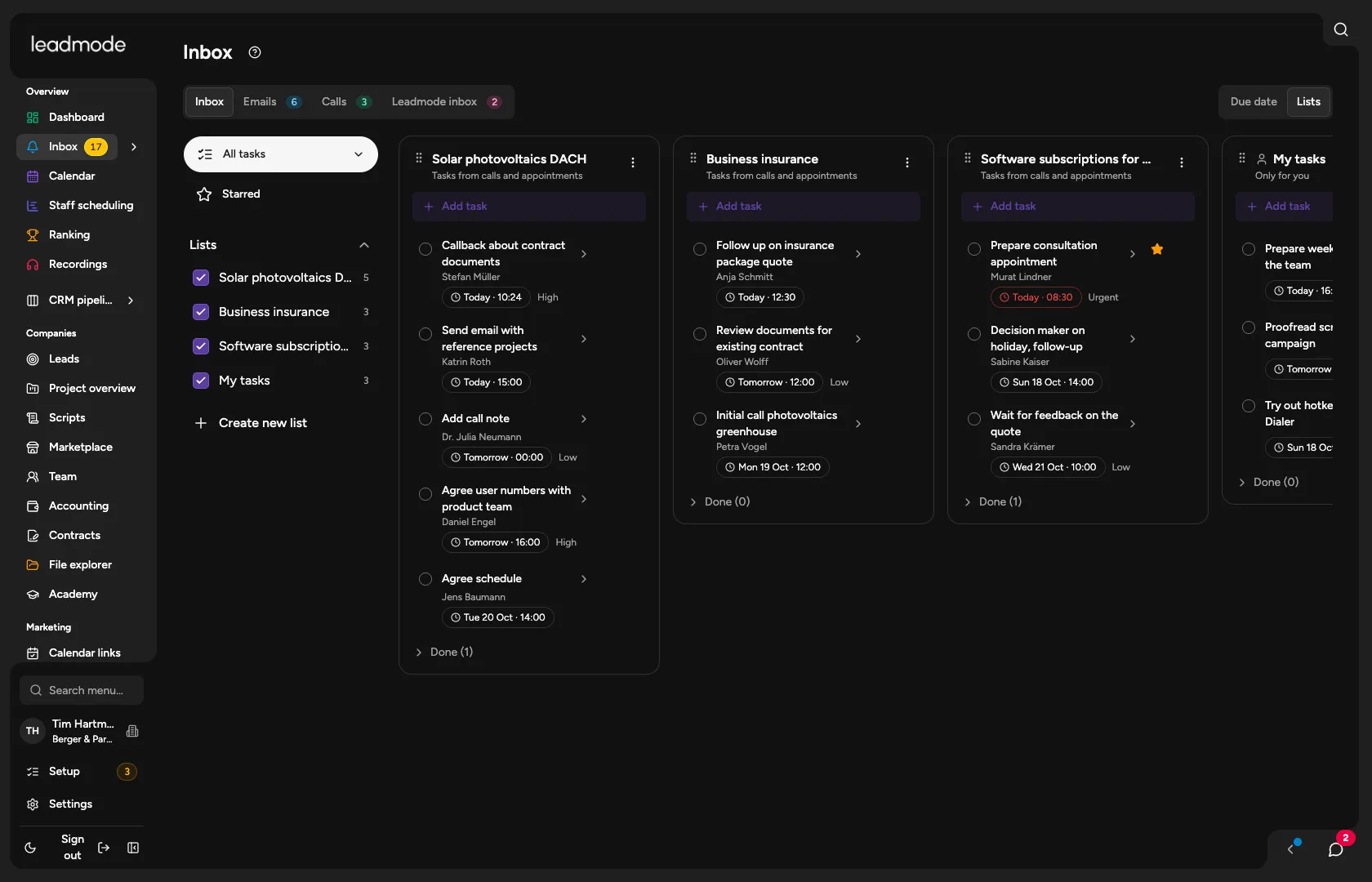
Inbox
All your tasks as a list or a board with one column per project. Filter by due date, task type (for example call, email, appointment, follow-up, data check, project task) and project. Admins can see individual employees’ tasks.
Projects per client
A new project in six to nine steps: flow, compensation, quota, team, appointments, and optionally terms, value and time tracking. You choose the flow from templates or adapt it.
Project hub
Due and new leads, weekly metrics, monthly quota, team and the latest reports for each client at a glance.
Roles and permissions per project
Project lead, sales rep, backup sales rep, read only. Permissions follow the project, and individual areas can be lowered per person.
Chat
One-to-one, group and project chat.
Calendar and staff scheduling
Appointments and calling blocks per project, plus the team’s scheduling with target, plan, actual and sold quota. Measured time (calls, documentation, email) flows into each project.
Steer it with AI
Through the MCP interface your AI works with projects, leads, tasks and appointments using exactly your permissions. Deleting only after your confirmation.