
Find, deploy and steer your team.
Job postings and applications, contract and personnel questionnaire, staff scheduling with time off and utilisation, permission profiles per person. New callers are productive in their first week because the documentation is already set.
Sound familiar?
Who works for which client and when sits in a spreadsheet nobody maintains.
Hiring and onboarding new callers takes weeks, and everyone ends up with different permissions.
How Leadmode solves it.
Staff scheduling
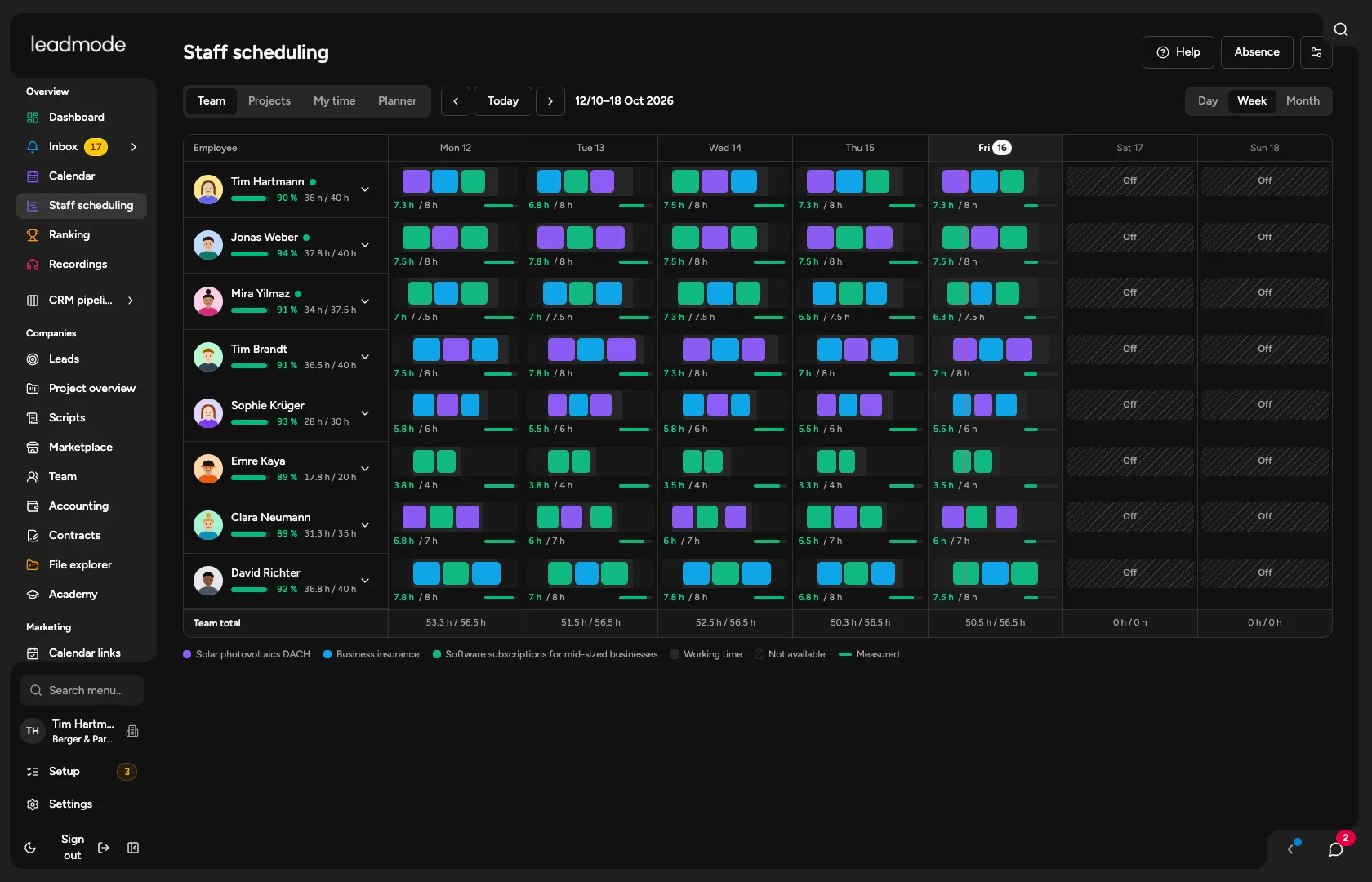
A timeline for the team (day, week, month), utilisation per person, warnings for overbooking, time off and public holidays. In the Projects tab you see whether the demand is covered by quota and campaign.
Planner with bars
Free planning over several weeks: rows and bars, optionally linked to an employee and a project, with time off and sick leave hatched. A bar can be carried into the project as staffing and calling blocks. Access for admins and people with the ‘Scheduler’ permission.
Time off and time account
Time off as a request with approval; planners see sick leave only as ‘away’. A working day with target, plan and actual.
Careers page and applications
Job postings with their own link and an application form including CV, an overview page of all jobs, and embedding with two lines of code. Applications land in the personnel file and as a lead in the CRM.
Personnel file, contract, questionnaire
One file from applicant to active employee. Contracts from your template as PDF, personnel questionnaire by employment model (Germany, abroad or your own models) with required, optional and hidden fields.
Permission profiles
Included: sales rep, team lead, viewer; your own profiles are possible. Per area None, View, Edit, Manage. Plus project role and restriction per person and project. The admin stays fixed.
Employee compensation
Admins store a flat fee, hourly rate, fee per appointment or lead and commission with a waiting period for each person or project. Everyone sees their own earnings under Account, and admins see the team.
Employee area
‘My documents’: each person sees and confirms their own documents.